Wireless network discovery and visualization
Here I will list some use full tools for setting up your wireless network properly. There are a lot of tools for Linux and Windows xp for discovering wireless networks and their settings and signal strength but they usually does not support Windows Vista.
Here are the tools I discovered:
- Vistumbler
- Inssider
Vistumbler
Vistumbler is a tool for Vista like the NetStumbler. It is an AutoIt script that uses the netsh to get wireless information.
Vistumbler provides information like, SSID, Encryption, signal strength etc. Below are some screen shouts shown
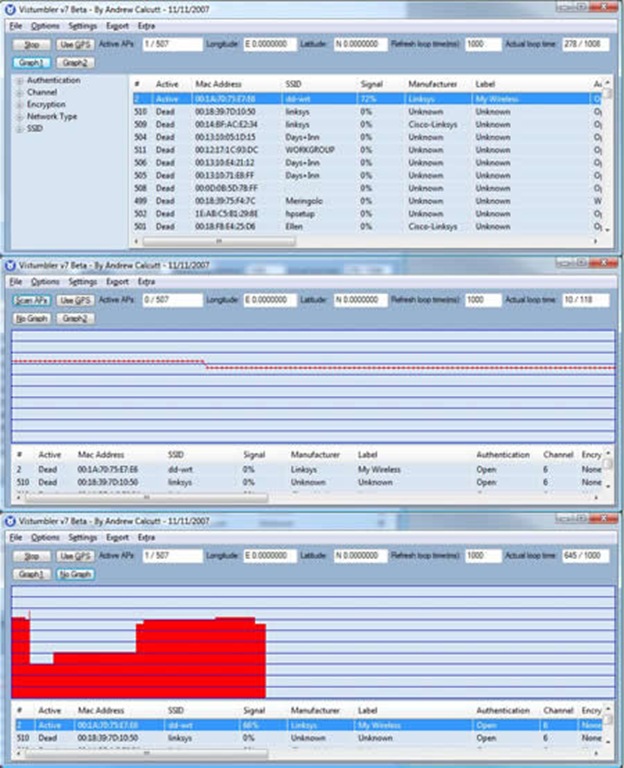
The program supports also GPS location tracking, this means that you can collect the GPS coordinates belonging to the AP’s you discover and export them to NetstumblerToKML as shown below
![NetstumblerToKML[1]](http://blog.lausdahl.com/wp-content/uploads/files_imported/WindowsLiveWriter/Wirelessnetworkdiscoveryandvisualization_116AC/NetstumblerToKML%5B1%5D_2.jpg)
![image_preview[2]](http://blog.lausdahl.com/wp-content/uploads/files_imported/WindowsLiveWriter/Wirelessnetworkdiscoveryandvisualization_116AC/image_preview%5B2%5D_2.jpg)
Vistumbler is free and can be downloaded here
More info about Vistumbler can be found here
Inssider
Inssider is a simple free tool that allows you to visually see all wireless traffic. It graphs the signal strength along a timeline of each WLAN in a visual, simple-to-understand format.
Each network will be listed with the information discovered about it.
![chart-networks.preview[1]](http://blog.lausdahl.com/wp-content/uploads/files_imported/WindowsLiveWriter/Wirelessnetworkdiscoveryandvisualization_116AC/chart-networks.preview%5B1%5D_2.png)
It is also possible to se a graph of the signal strength over time.
![graph-timeline.preview[1]](http://blog.lausdahl.com/wp-content/uploads/files_imported/WindowsLiveWriter/Wirelessnetworkdiscoveryandvisualization_116AC/graph-timeline.preview%5B1%5D_2.png)
Download Inssider here
Leave a Reply