Open Network Connections dialog without going through the slow Network and Sharing Center

It is possible to make a shortcut to directly open the network connection dialog.

Just link to this file:

explorer.exe ::{7007ACC7-3202-11D1-AAD2-00805FC1270E}


You can save it as an shortcut since its a little difficult to remember the GUID.

See how to here

Pleo inside

Two Danish engineers disassembling Pleo: Link

Windows Vista VPN – The connection requires an active Internet connection

I use a Microsoft VPN connection to make connections to my school and home. But I discovered some problems, when I need the connection I can not use it because it says:

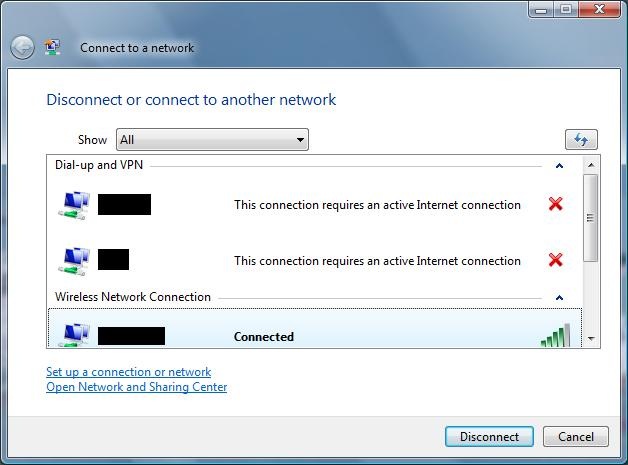
The connection requires an active Internet connection

But what is all that about I have a working Internet connection and can surf the net. I discovered that the problem isn’t the Internet connection but the GUI in vista.
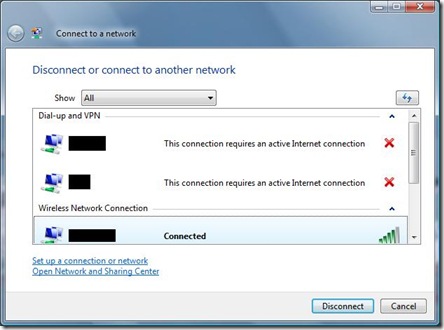
VPN_NoInternetConnection

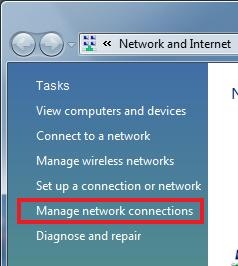
The solution is to go to the Management networks window
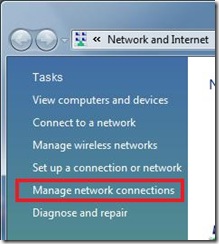
VPN_ManageNetworkConnections

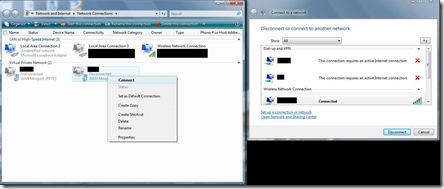
The connect from inhere instead

VPN_Connect

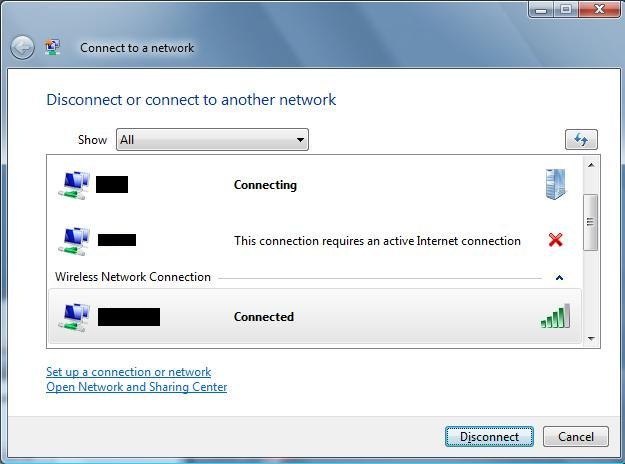
When you have connected the Connect to network window should change accordantly:
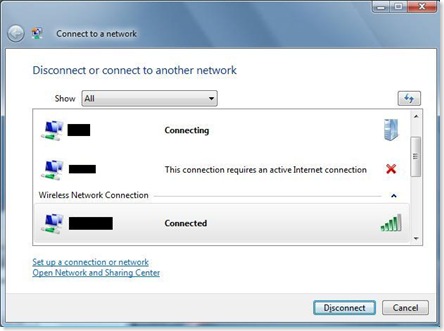
VPN_Connecting

Yes that’s it, it would be nice if they corrected things like this or just removed the connect to network window it it’s to much trouble to update the window.

I read other post about this topic and like these posts I have a loopback adaptor installed.

Embedded web server on ATmega128 with ENC28j60

I bought a Ethernet interface and a micro controller form http://www.futurlec.com/ for a cheap price. (With a very slow delivery).

IMG_1322

The base code used to create this web server are provided by tuxgraphics.org:

HTTP/TCP with an atmega88 microcontroller (AVR web server)

The code has been changed to support atmage16 and atmega128 by extracting the SPI initialization and the hard coded pin numbers from the source. This is needed because the registers and pins are different from the atmega88 family.

IMG_1306


Here is the source code with support for atmega16 and 128.

eth_rem_dev_tcp-2.11_atmega16_final28092008.rar (179.07 kb)

User’s manual ET-MINI ENC28J60.pdf (299.37 kb)


Virtual PC SP1 Networking problems (address "00:00:00:00:00:00" failed to initialize)

There have been a number of people reporting that when they start a virtual machine – they get the following error:

The network adapter with address “00:00:00:00:00:00” of virtual machine “….” failed to initialize because the address is a null address.

To fix this problem you should use REGEDIT to:

  • Examine the key value at HKEY_LOCAL_MACHINE\SYSTEM\CurrentControlSet\Control\Class\{4D36E972-E325-11CE-BFC1-08002bE10318}\<nnnn>\DriverDesc to locate the desired host adapter where <nnnn> is a four digit number.
  • Look at the GUID value for the NetCfgInstanceId key value.
    Add the DWORD key at HKEY_LOCAL_MACHINE\SYSTEM\CurrentControlSet\Services\VPCNetS2\Parameters\Adapters\<guid>\Flags and set the value to 0 where <guid> is the GUID found in step 2.
  • Restart the computer.

This registry value was added in Virtual PC SP1’s Virtual Machine Network Services driver. It is supposed to be setup during installation by the driver’s notify object. However, under certain circumstances the notify object of the old version is used during the installation of the new version and this registry value is never created. It is used by the driver to determine if a particular host adapter can be used in the MAC address generation algorithm. If the key is not present, we assume that the host adapter cannot be. In the case you experienced, none of your adapters appear suitable as a basis for MAC address generation and the driver returns a NULL MAC address which causes VPC to report the error.


Source: Link

Tur til Petra i Jordan

  Da vi aligevel var på ferie i Egypten på det asiatiske kontinent besluttede vi at tage en tur til Jordan for at se Petra:


IMG_0002IMG_0974 IMG_0976 IMG_1056IMG_9976 IMG_9792 IMG_9841

Ja vi havde lidt travlt da vi skulle ud af Petra så vi lejede lige et par æsler.

Lige et par billeder fra nogle lokale gader i Jordan – ikke tit man ser geder med hovedet ned ad:

IMG_1117 IMG_1122

Ferie Egypten

Ferie i Egypten. Dejligt varmt vejr super hotel:

IMG_0052 IMG_0265 IMG_0463 IMG_0310

IMG_0292 IMG_0221


Det var et Golf hotel vi boede på hvilket vel betyder man lige må ud og prøve lidt intro til golf


IMG_9353 IMG_9404

Ja og nu var det jo Egypten så man er vel os nød til at se lidt af deres enorme ørken og prøve en tur på Kamel:


IMG_9066 IMG_9036 IMG_9176 IMG_9100 IMG_0575 IMG_0671 IMG_9137 IMG_9200

Efter som vi er nede i landene med mavedans måtte vi selvfølgelig os op og se dette. Scenen højest oppe i byen på bjerget med det højeste musik – mindre kan jo ikke gøre det:


IMG_9500 IMG_9502

Egypt submerged

Så kom vi endelig til Egypten. Her er dejligt varmt på vores luksus hotel.

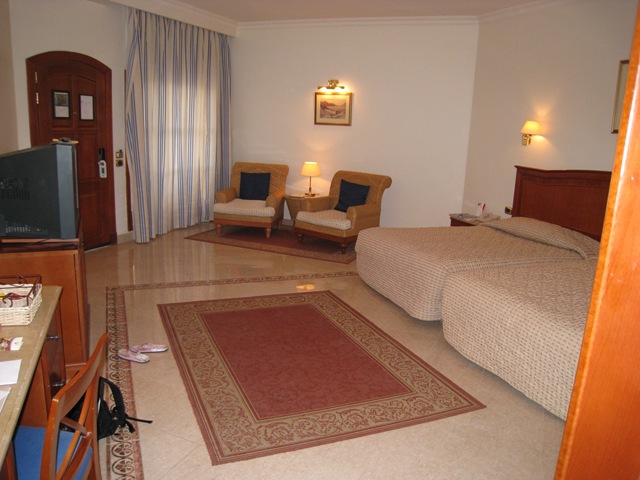
Vores fine værelse.


En tur med glasbunds båd.

Og ja de har ikke glemt os. Arla Foods fra viby. Se billedet 


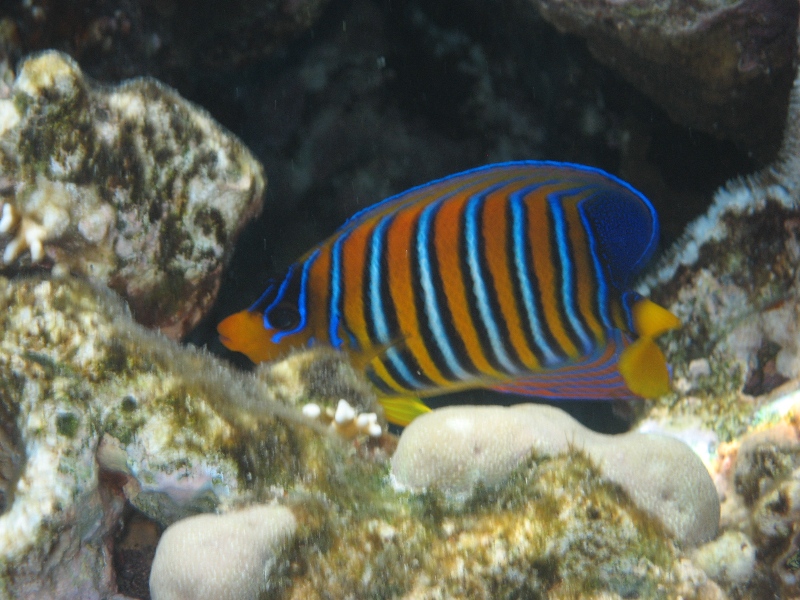
Vi har endda fået nogle venner vi hænger ud sammen med på revet med:


Windows Vista region free DVD

This program will do the job.

AnyDVD link to site

Set Windows Vista to handle Zip files

If you would like to set windows vista back to handle zip files again you should ensure that the key in the registry looks like this:

[HKEY_CURRENT_USER\Software\Microsoft\Windows\CurrentVersion\Explorer\FileExts\.zip]

[HKEY_CURRENT_USER\Software\Microsoft\Windows\CurrentVersion\Explorer\FileExts\.zip\OpenWithList]
"a"="ieuser.exe"
"MRUList"="a"

[HKEY_CURRENT_USER\Software\Microsoft\Windows\CurrentVersion\Explorer\FileExts\.zip\OpenWithProgids]
"CompressedFolder"=hex(0):

If any other sub keys are present delete them. Restart windows if needed and your done.

 Regedit keys: Windows Vista enable Zip handling.zip (2.31 kb)

Top